VirtualBox Guest Additions - Install, Upgrade
-
You can install and upgrade VirtualBox Guest Additions on your VirtualBox VM's.
Download the ISO image (VBox GuestAdditions):
https://www.oracle.com/virtualization/technologies/vm/downloads/virtualbox-downloads.htmlNote: the link on the above page is not always updated timely, however, you can substitute the version in the link to get the latest iso file:
https://download.virtualbox.org/virtualbox/6.1.38/VBoxGuestAdditions_6.1.38.isoWindows 10/11 will allow you do open the .iso file after displaying a warning, you can now copy the (signed) file called
VBoxWindowsAdditions-amd64.exe(orVBoxWindowsAdditions-x86.exeif you have any 32bit guests) to another folder.The installation is made silent by
/S.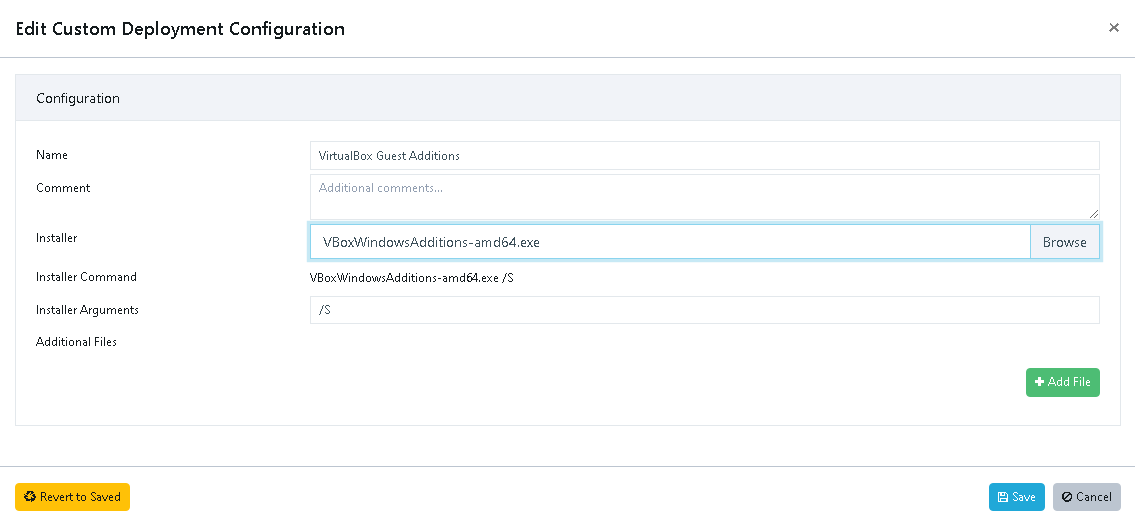
Hello! It looks like you're interested in this conversation, but you don't have an account yet.
Getting fed up of having to scroll through the same posts each visit? When you register for an account, you'll always come back to exactly where you were before, and choose to be notified of new replies (either via email, or push notification). You'll also be able to save bookmarks and upvote posts to show your appreciation to other community members.
With your input, this post could be even better 💗
Register Login