Google Chrome (user based) not updating and how to "switch" installers
-
Unfortunately, Chrome user-based installations do not support silent upgrades, nor can they be converted or upgraded to system-wide installations.
In this scenario, you must uninstall the user-based installation and deploy a system-wide installation instead.
To help distinguish between installer types, the Chrome application title has been updated to clearly indicate whether it is user-based or system-wide:
Google Chrome
Google Chrome (user based)
Switching from a user-based to a system-wide installation
To replace a user-based installation with the system-wide version, use the Software Deployment feature to create a combined job that uninstalls the user-based installation and installs the system-wide one at the same time.
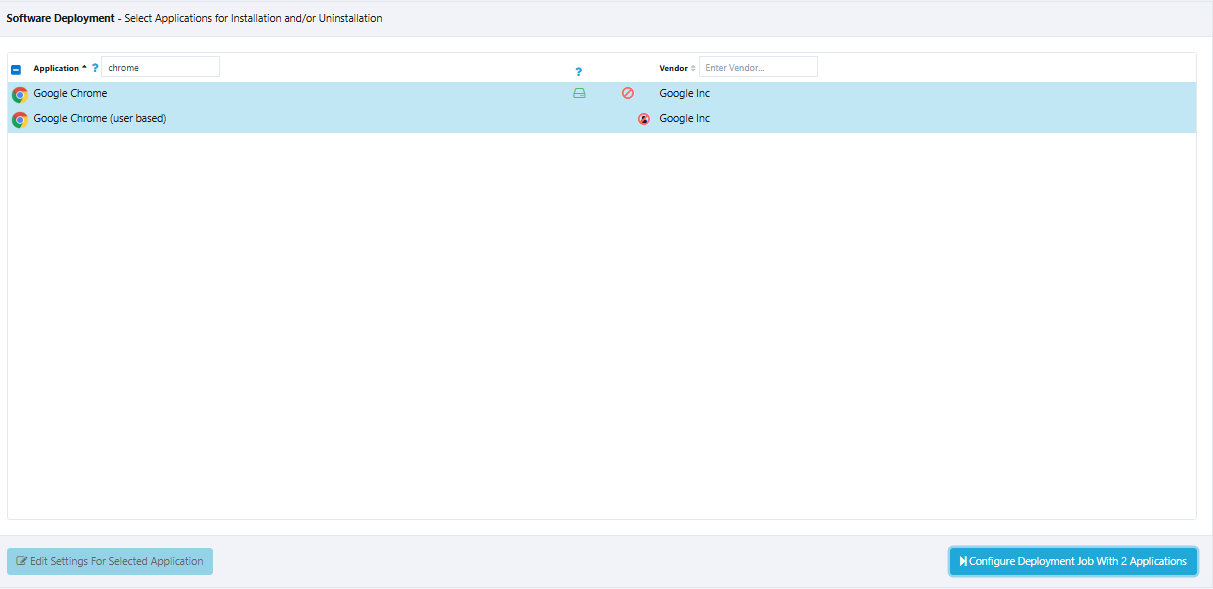
Select both installations, and click Configure Deployment Jobs With 2 Applications button.
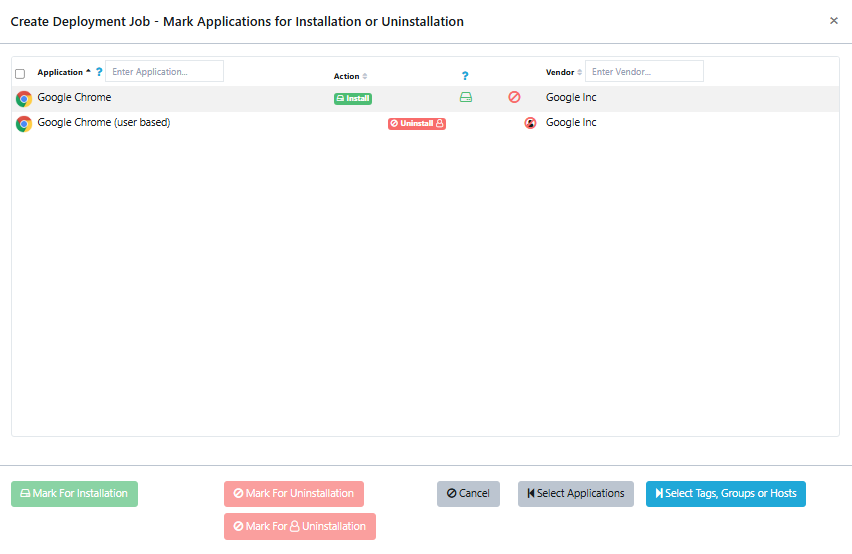
Configure the job as follows:
- Set Install for Google Chrome
- Set Uninstall for Google Chrome (user based)
Finally, select the Groups, tags, or Hosts where the job should be deployed. It is safe to assign this job to all Hosts where Google Chrome is required. This ensures that any user-based installation is automatically removed if it is ever installed. For this behavior, select "Always install or uninstall".
The job will run during the next inspection cycle. You may also trigger a manual inspection on the Hosts to apply the change immediately.
Hello! It looks like you're interested in this conversation, but you don't have an account yet.
Getting fed up of having to scroll through the same posts each visit? When you register for an account, you'll always come back to exactly where you were before, and choose to be notified of new replies (either via email, or push notification). You'll also be able to save bookmarks and upvote posts to show your appreciation to other community members.
With your input, this post could be even better 💗
Register Login